 Abhako
Abhako
The task app for households and small teams that you own: TickTick-style planning, the Asana essentials and time tracking in one app. Free for any number of people, on your own server.
Lists, calendar, Eisenhower matrix, habits, a focus timer, time tracking, comments and shared lists. One small web app, running on your own machine.
$ curl -fsSL https://abhako.com/install.sh | shPS> irm https://abhako.com/install.ps1 | iexNeeds Docker. Installs the latest version from GitHub and opens on localhost:3040. Rather read first?
Why Abhako exists
Most task apps are either a personal list or a project tool for a company. Real life needs a bit of both, and it should not cost a subscription per head.
- Commercial tools cost a lot for what they do.Monthly fees per person, and still the feature you need sits one tier higher.
- Asana is a lot of software for a shopping list.Great for departments, cumbersome when you just want to write down three things.
- TickTick shares lists, but it charges per head.On the free plan one other person can join a list; beyond that everyone needs their own subscription. No time tracking, and your data lives on their servers.
- One app instead of three.Tasks, habits, focus timer and real time tracking with rates and timesheets, plus the Asana basics: sharing, assignment, comments, dependencies. Unlimited users, lists and tasks.
- Made for a self-hosted setup.Single sign-on through your proxy, push via ntfy, documents in Paperless-ngx, a calendar feed for your phone. No accounts at a vendor, no telemetry.
- Abhako does both, and the team half has an off switch.Turn off Collaboration and it is a quiet personal list again. Your data stays on your own machine either way.
Shared list: assignees, comments and mentions. Try the switch.
Everything a list needs, and then some
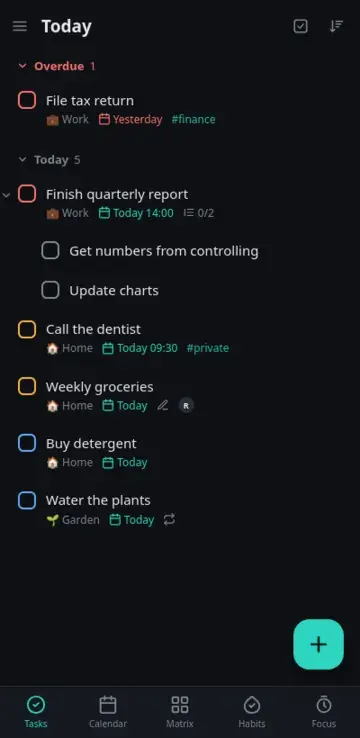
The screenshots show the real app with demo data. Nothing here is a mockup.
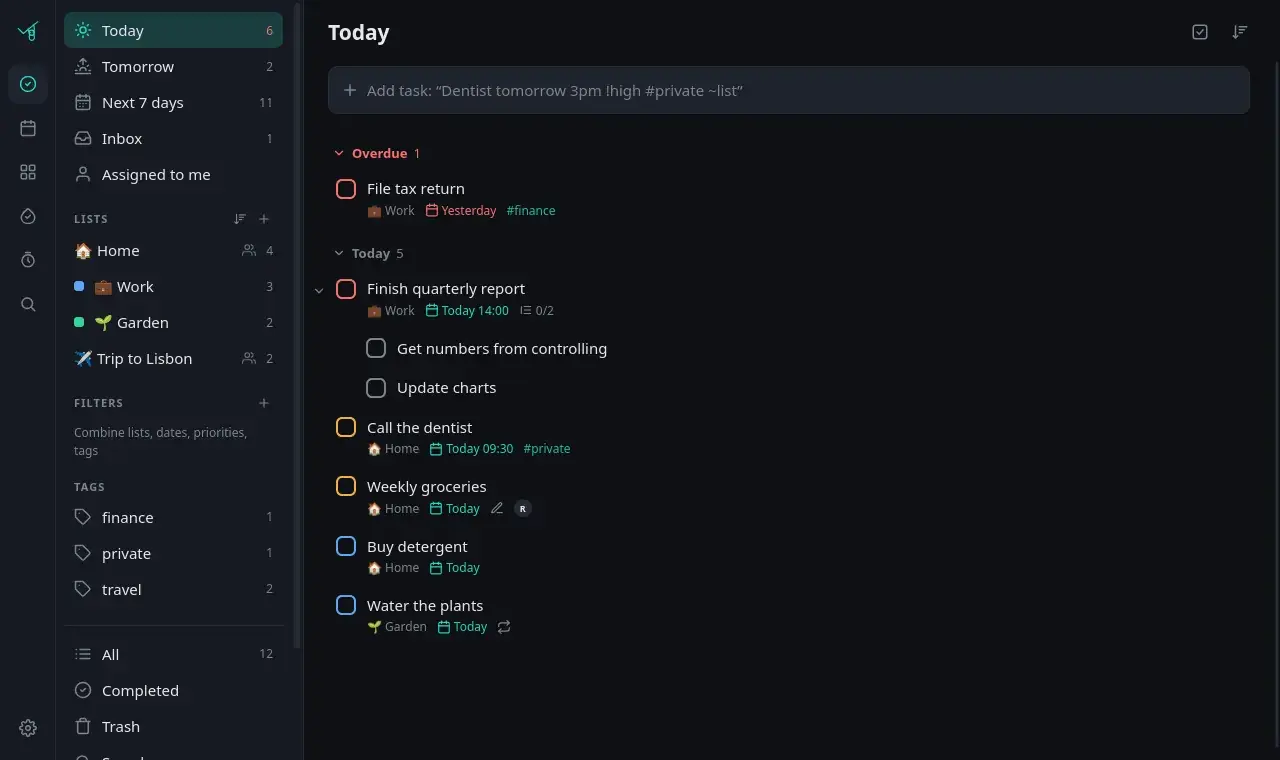
Tasks and lists
Type the way you think. Quick add understands English and German, whatever language the interface is in.
- Subtasks three levels deep, drag and drop anywhere
- Recurring tasks, from daily to any RRULE, with end and skip
- Smart lists and combinable filters by list, date, priority, tag
- Undo for almost everything, templates for the rest
Views
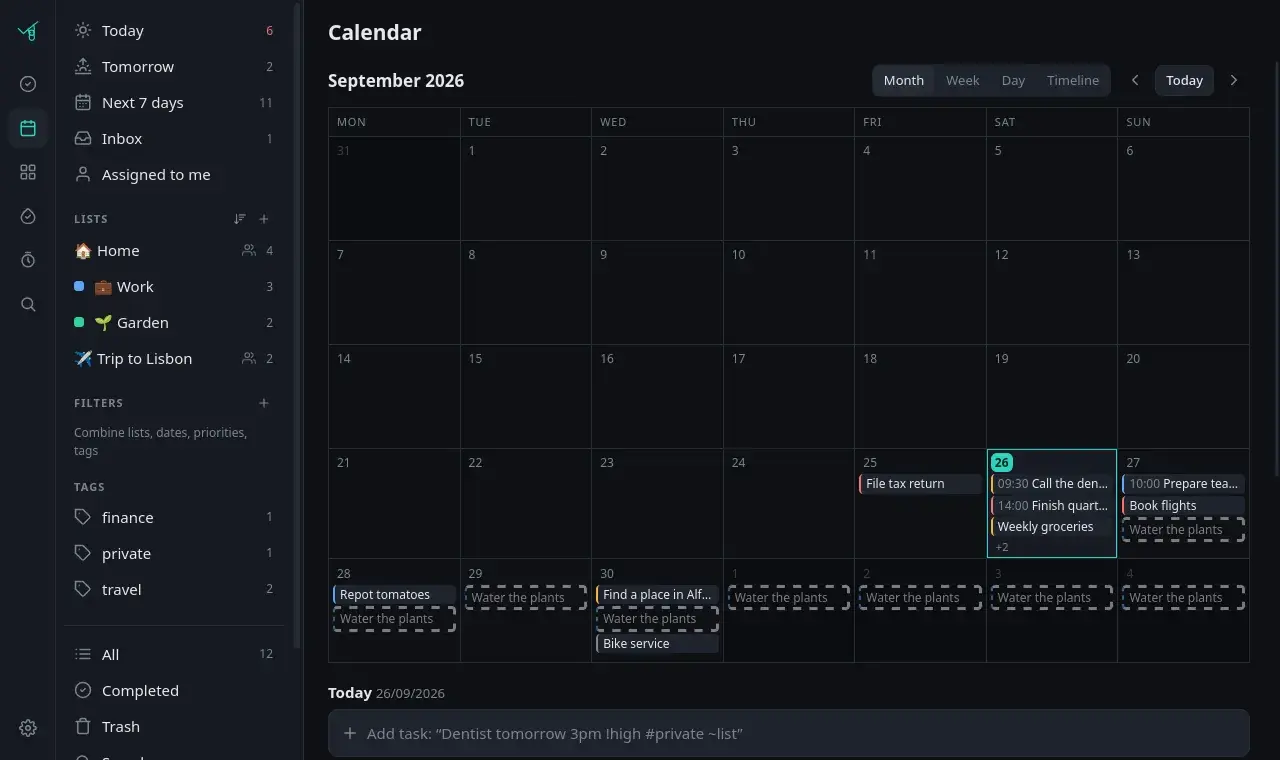
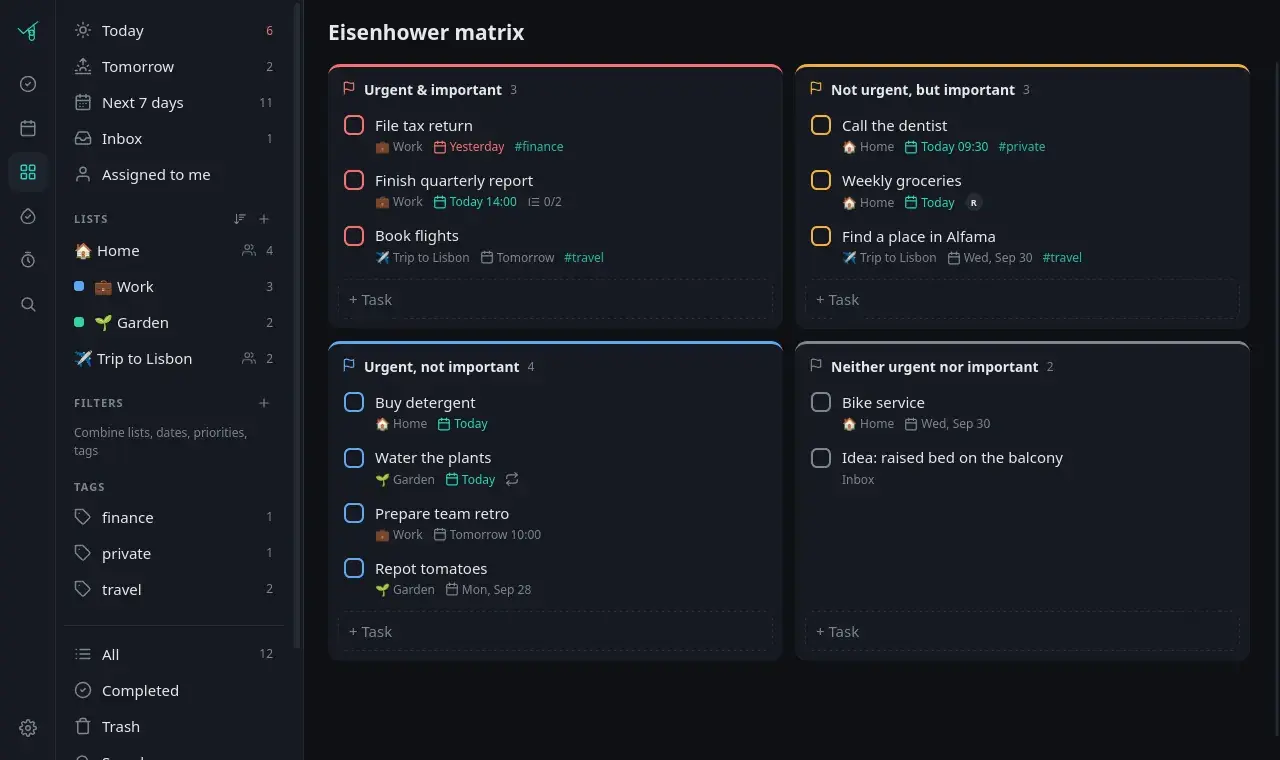
The same tasks, seen from whichever angle helps today.
- Calendar by month, week or day, plus a timeline (drag tasks onto days)
- Eisenhower matrix: priority against due date
- Kanban per list, with sections as columns
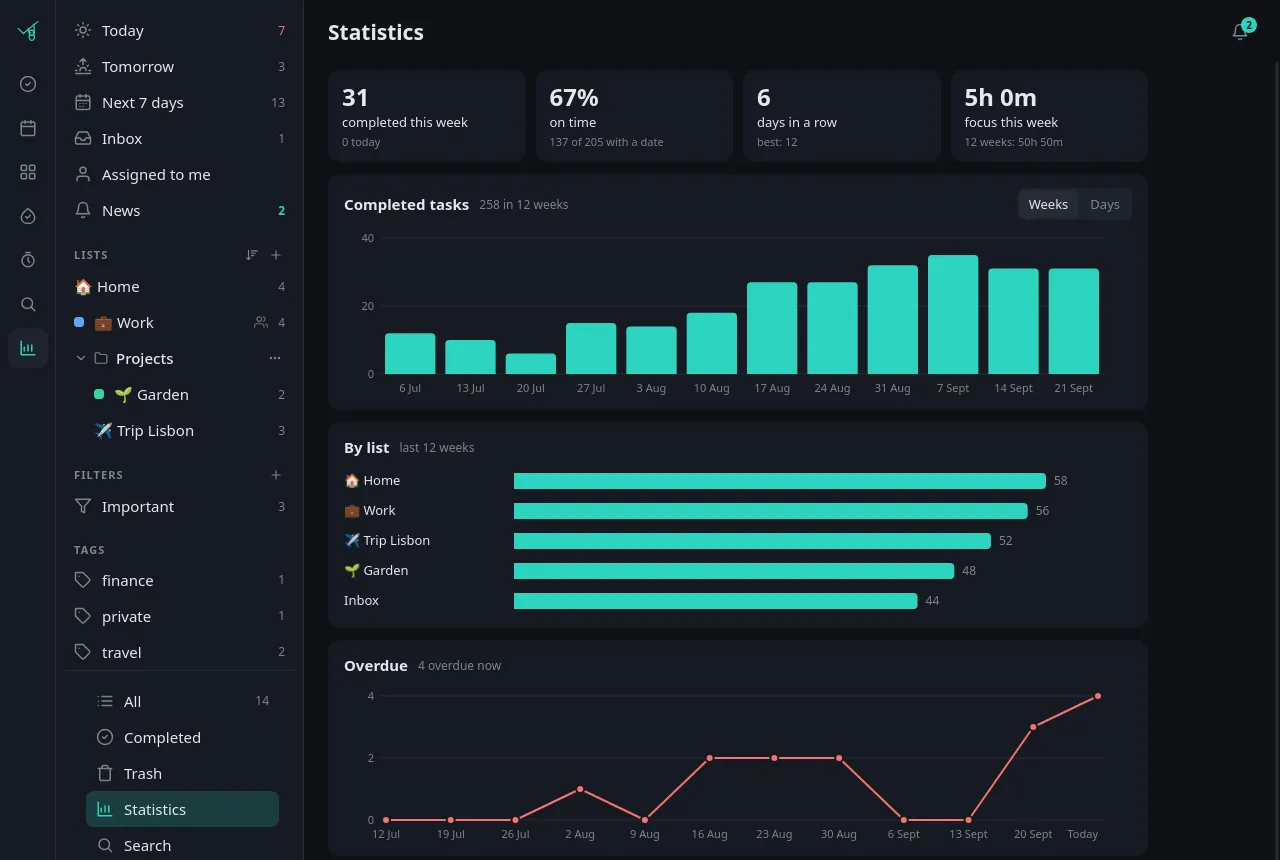
- Statistics: completions, on-time rate, overdue trend
Habits and focus
For the things that are never done, only done today.
- Habits per day or n times a week, with counters and streaks
- Notes per day, reminders via push
- Pomodoro timer and stopwatch, focus minutes per task

Time tracking
For yourself, or for the invoice.
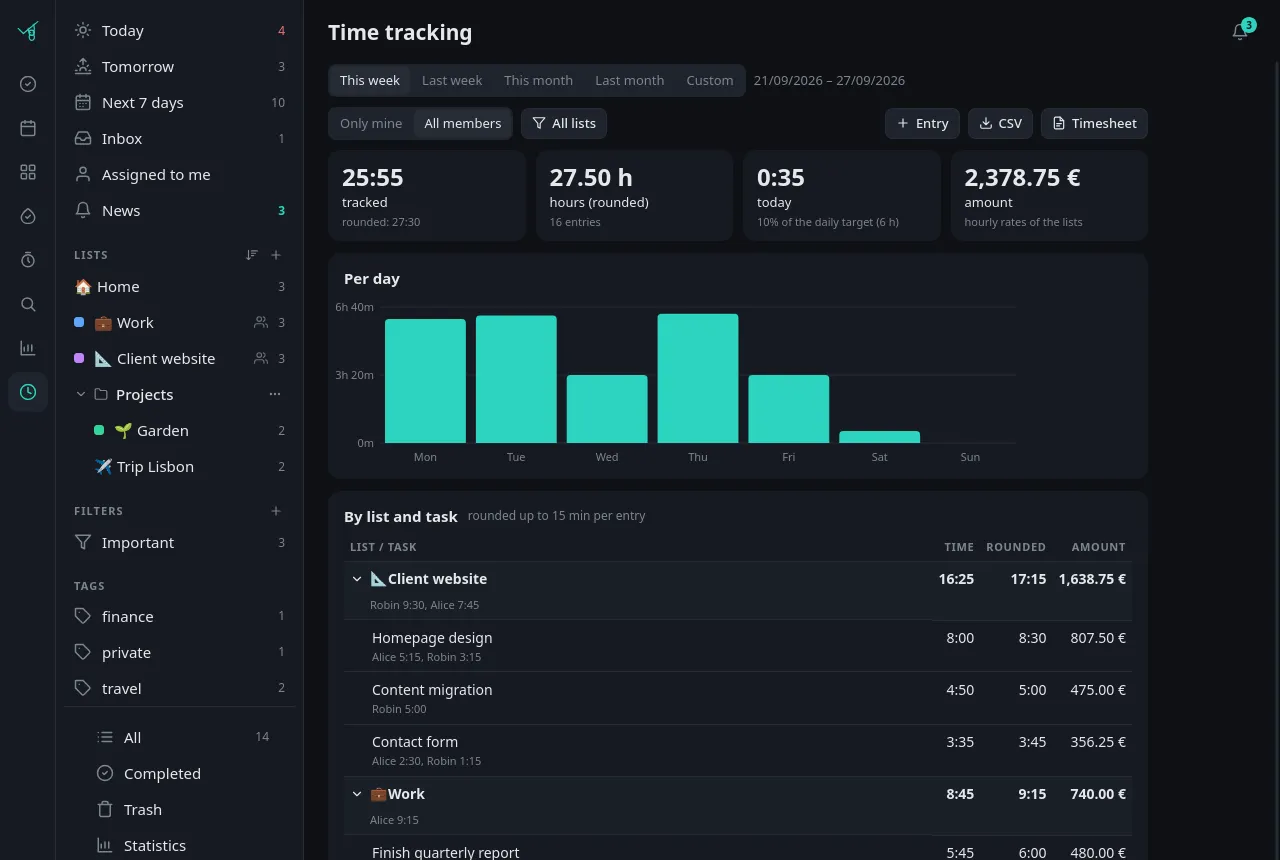
- A timer on any task that follows you across devices
- Manual entries:
1:30,45mor from-to - Reports per list, task, day and person, with rounding and hourly rates
- CSV export and a printable timesheet
Together
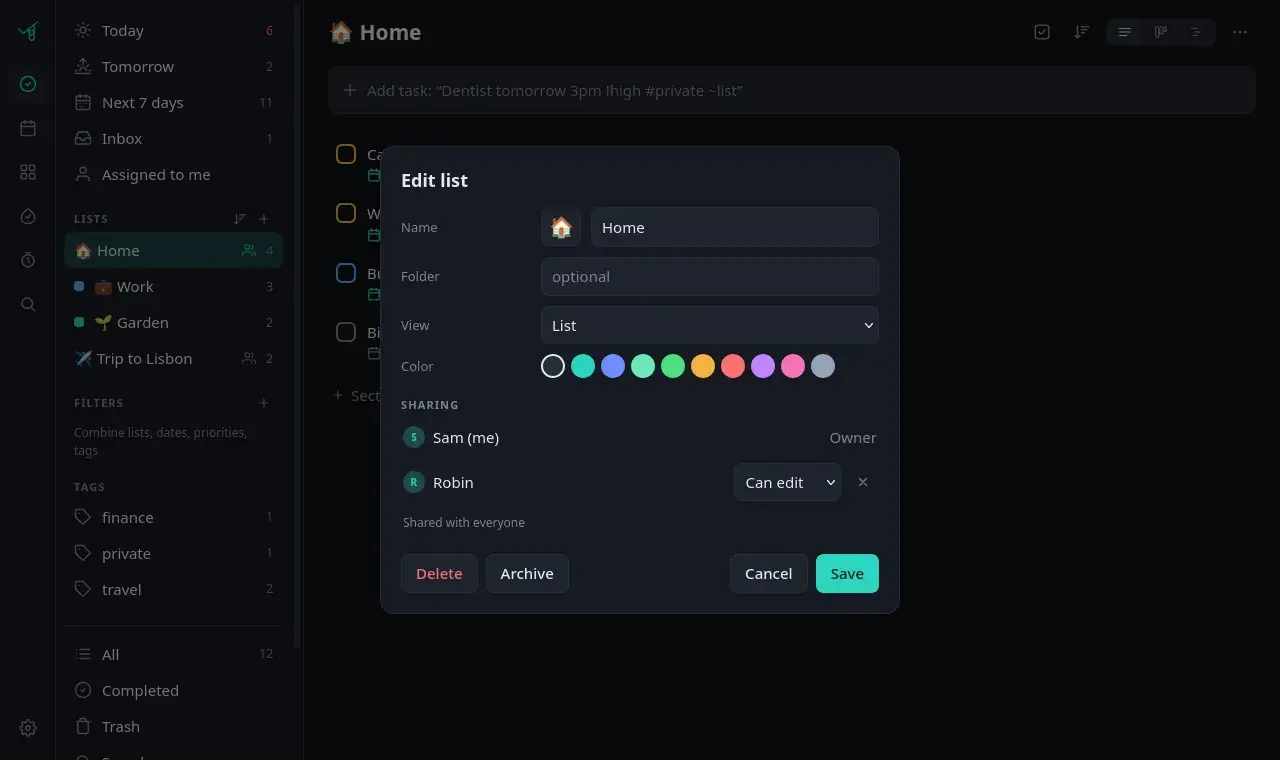
Share a list with your household or your small team. Or with nobody.
- Several users, each with their own inbox, habits and settings
- Share lists as can edit or view only
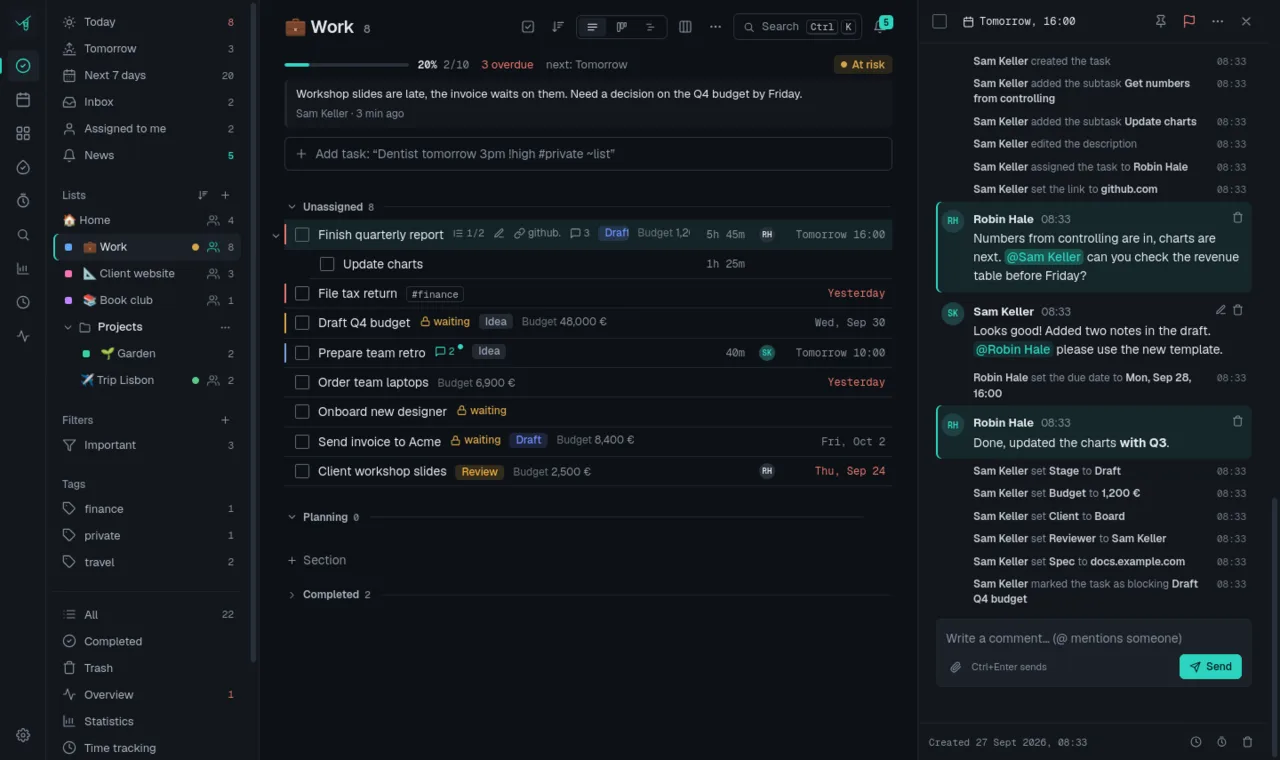
- Assign tasks, comment with @mentions and files
- Activity history: who changed what, and when
- A News inbox for everything that concerns you
- Push notifications via ntfy, bundled so a busy task does not spam you

Works everywhere
It is a web app, so it runs wherever a browser does. Install it to your home screen and it behaves like an app.
- Installable app (PWA) for phone and desktop
- Offline: changes queue up and sync later, with conflict detection
- Mobile layout with swipe gestures
- Share from Android via HTTP Shortcuts
- Calendar subscription (ICS) for Google, Apple, Outlook
- Paperless-ngx integration for documents
- Import TickTick CSV backups
- Export everything as JSON
- Dark and light theme
- English and German, more via plain JSON files
Projects: task dependencies ("waiting on"), project status with progress and a "Where is it stuck?" overview, and custom fields per list.
Small on purpose
No framework, no build step, no cloud. The kind of software you can still understand in five years.
Private
No telemetry, no analytics, no external requests. Website links in tasks are never even fetched.
Light
Python and SQLite in a single container. Your data is one folder: a database file and your attachments.
Open
MIT licensed. Read it, change it, run it for your family. Pull requests are welcome.
Your login
Built-in accounts with a password, or single sign-on through your reverse proxy (Authelia, Authentik, oauth2-proxy).
Your server
A spare laptop, a home server, a small VPS. Anything that runs Docker.
Honest limits
Built for one person, a household or a small team. Not for a company with hundreds of accounts.
Install
You need Docker with Compose: Docker Desktop on macOS and Windows, the Docker packages of your distribution on Linux. The installer fetches the latest version from GitHub, builds the container and starts it on http://localhost:3040.
$ curl -fsSL https://abhako.com/install.sh | shFolder: ~/abhako (change with ABHAKO_DIR), port with ABHAKO_PORT, a release tag or branch with ABHAKO_VERSION:
curl -fsSL https://abhako.com/install.sh | ABHAKO_VERSION=v1.0.0 ABHAKO_PORT=3050 shPS> irm https://abhako.com/install.ps1 | iexIn PowerShell, with Docker Desktop running. Folder: %USERPROFILE%\abhako. Options are environment variables:
$env:ABHAKO_VERSION = "v1.0.0"; $env:ABHAKO_PORT = "3050"
irm https://abhako.com/install.ps1 | iex- Open
http://localhost:3040. The first account you create becomes the admin, so do it right away. - Update by running the same command again. Your
.envanddata/stay untouched. - Remove with
docker compose downin the folder, then delete the folder.
Rather read first?
Good habit. Read install.sh or install.ps1, or do it by hand:
git clone https://github.com/Gegenschuss/abhako.git
cd abhako
cp .env.example .env   # set TZ and PUBLIC_URL
docker compose up -d --build
For use beyond your own computer, put it behind a reverse proxy with HTTPS. The README covers proxies, single sign-on, notifications and backups.
Questions
Is it free?
Yes. Abhako is open source under the MIT license. No paid tier, no account with anyone. You only pay for the machine it runs on, if anything.
Where is my data?
On your machine, in the data/ folder next to the installation: one SQLite database plus your attachments. Back it up by copying the folder, or export everything as JSON in the app.
Do I need a server?
Any computer that runs Docker will do: your laptop for a try, a home server, or a small VPS. A Raspberry Pi 4 or 5 should work as well (not tested yet). To use it away from home, put it behind a reverse proxy with HTTPS or a VPN.
Which version gets installed, and how do I update?
The installer fetches the latest version from the main branch on GitHub. To pin a release tag or branch, set ABHAKO_VERSION. To update, run the installer again: it fetches the new code and rebuilds, while .env and data/ stay as they are. The database migrates itself on start.
Can I use it alone?
Yes, that is how it started. Switch off Collaboration under Settings > Layout and comments, assignees, sharing and the News inbox disappear. Nothing is deleted.
How do I get notifications?
Through ntfy, a free push service with apps for Android and iOS. Every user gets their own topic; subscribe to it in the ntfy app. You can use ntfy.sh or run your own ntfy server.
Is there a mobile app?
Abhako is an installable web app (PWA). Add it to your home screen and it opens full-screen, works offline and syncs when you are back online. There is no app store version.
Does it work on iPhone?
Yes, install it from Safari with Share > Add to Home Screen. Sharing files from other apps straight into Abhako is limited on iOS; notifications come through the ntfy app.
Is it end-to-end encrypted?
No. Your data sits unencrypted in the database on your own server, which is the point of self-hosting. Use HTTPS for the connection and disk encryption on the machine if you need more.
Was Abhako built with AI?
Yes. Abhako is built with AI assistance (Claude Code). I decide what it does and how it should behave, use it every day, and every change is tested before release, including security tests for access control between users. The code has not had an independent security audit. Reviews and issue reports are very welcome (see SECURITY.md on GitHub).
Can I import from TickTick?
Yes. Export a CSV backup in TickTick and import it under Settings > Data.
How do I translate it?
Every language is one JSON file. Copy the German one, translate it, check it with the included script and open a pull request. TRANSLATING.md has the details.
Is it affiliated with TickTick or Asana?
No. Abhako is an independent hobby project. The names only describe where the ideas came from.
Why the name, and why a sloth?
Abhaken is German for ticking something off. The sloth hangs from the tick and takes care of the rest, at its own pace.